
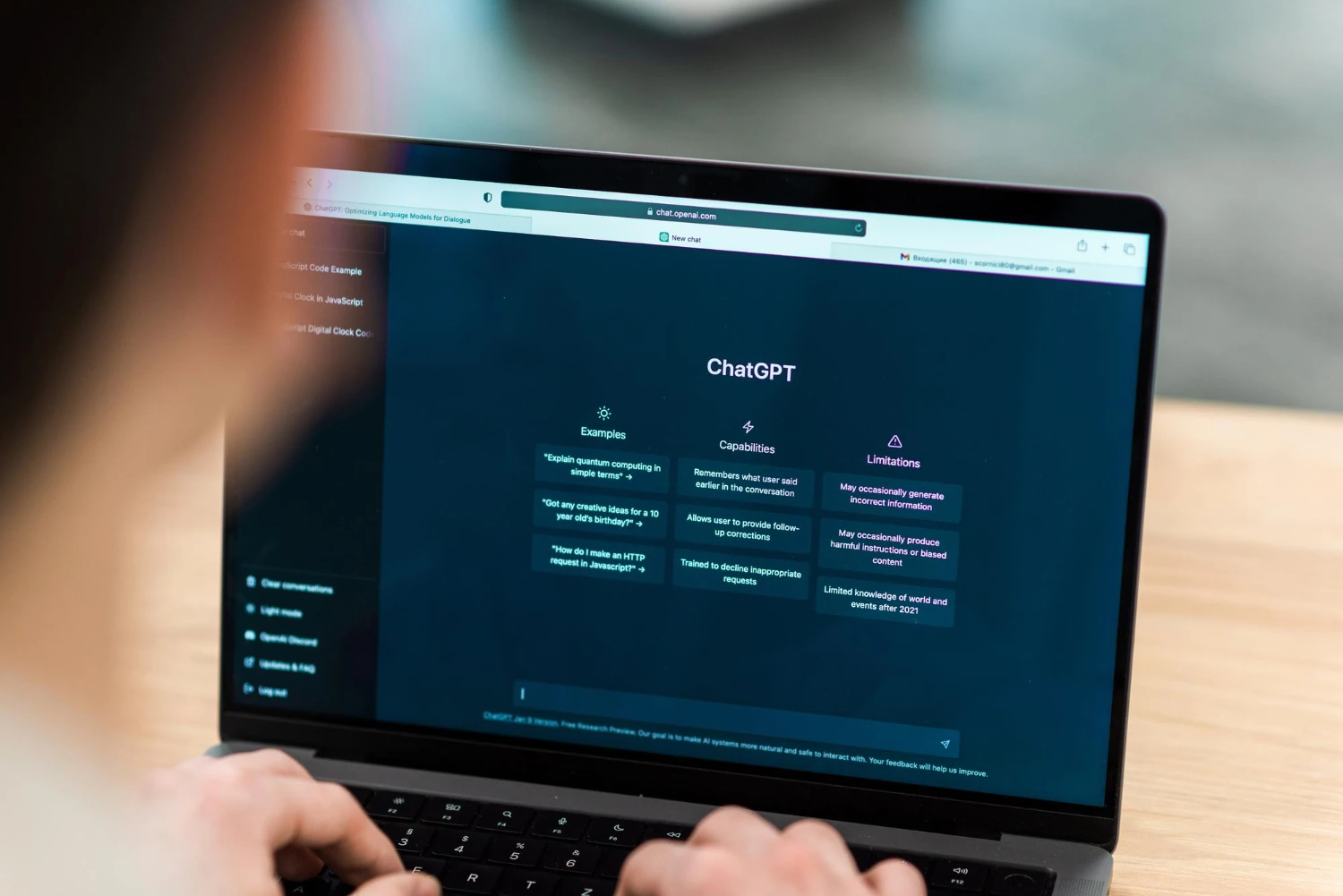
It has been over a year since OpenAI unleashed a revolution upon the world. Suddenly, computers weren’t just calculating numbers; they were writing poetry, debugging code, and passing law exams. But as the dust has settled, we have begun to notice a duality in this technology.
On one hand, it is a productivity miracle. On the other, it can be confidently wrong, bizarrely creative, or frustratingly robotic. In this article, we will explore the brilliance and weirdness of ChatGPT, compare it to its fiercest rivals like Gemini and Grok, and provide a practical guide for students and power users.
Part 1: The Brilliance (Why It Changed Everything)
The “brilliance” of ChatGPT lies in its ability to process and generate human language with a level of fluency we have never seen before. It is not just a search engine; it is a reasoning engine (albeit a flawed one).
A Superpower for Education
The education sector was the first to feel the impact. ChatGPT for students has transformed from a controversial “cheating tool” into a legitimate study partner. When used ethically, it acts as a 24/7 tutor. It can explain complex quantum physics concepts in the style of a 5-year-old, summarize long historical texts, or brainstorm essay topics.
Is it accessible? Yes. The ChatGPT free for students model (currently using GPT-3.5 or limited GPT-4o) is more than enough for basic research, summarizing notes, and language practice. However, students must be wary: while it is brilliant at structure, it is not always brilliant at facts.
Creative and Technical Mastery
Beyond school, ChatGPT shines in technical tasks. It can write Python scripts in seconds, debug broken code, and even write bedtime stories. Its ability to mimic tone—from a pirate to a professional CEO—is where the true “magic” happens.
Part 2: The Weirdness (Hallucinations and Glitches)
However, anyone who has used AI for long enough knows the other side of the coin. The “weirdness” is just as prominent as the brilliance.
The Problem of Hallucinations
ChatGPT is a “stochastic parrot.” It predicts the next likely word in a sentence, but it doesn’t “know” the truth. This leads to confident lies, known as hallucinations. You might ask for a biography of a minor historical figure, and ChatGPT might invent a completely fake life story, complete with fake awards and dates, all while sounding 100% authoritative.
Logical Loopholes
Sometimes, the AI fails at basic logic. It might struggle with simple riddles that a child could solve or get confused by simple math word problems. This mix of high-level intelligence and low-level incompetence is the defining characteristic of the brilliance and weirdness of ChatGPT.
Part 3: The Battle of the Bots (Comparisons)
ChatGPT is no longer the only player in town. 2024 and 2025 have seen the rise of powerful competitors. Which one should you use?
Gemini vs ChatGPT
The biggest rivalry is currently Gemini vs ChatGPT. Google’s Gemini (formerly Bard) has deep integration with the Google ecosystem.
- ChatGPT Pros: Better conversational flow, superior coding abilities, and the DALL-E 3 image generator.
- Gemini Pros: It connects to your Google Docs, Gmail, and Drive. It is often faster at accessing real-time information from the web.
- Verdict: In the ChatGPT vs Gemini battle, choose ChatGPT for creative writing and coding, and Gemini for research and productivity within Google Workspace.
Copilot vs ChatGPT
Microsoft’s Copilot is actually built on GPT-4 technology, so they share a brain. However, the packaging is different.
- Comparison: When looking at Copilot vs ChatGPT, Copilot is designed for the office. It lives inside Word, Excel, and PowerPoint. If you need to summarize a Teams meeting or generate a PowerPoint deck, Copilot wins. If you want a pure chat experience, ChatGPT is better.
Grok vs ChatGPT
Then there is the rebel of the group. Elon Musk’s xAI released Grok to compete directly with OpenAI.
- The Vibe: In a Grok vs ChatGPT comparison, Grok is designed to be “edgy,” witty, and rebellious. It has real-time access to X (Twitter) data, making it very current on news and trends. ChatGPT is heavily “guardrailed” to be safe, polite, and neutral. If you want unfiltered, real-time takes, Grok is an interesting alternative.
Part 4: Practical User Guide and FAQ
Whether you are a free user or a subscriber, there are technical aspects of managing your AI experience that can be confusing. Here are the answers to the most common questions.
Is ChatGPT Plus Worth It?
Many users stick to the free version, asking: is ChatGPT Plus worth it? The subscription ($20/month) gives you access to GPT-4o (unlimited), DALL-E 3 (image generation), data analysis tools, and custom GPTs.
- Verdict: If you use AI for professional work, coding, or visual content creation, it is absolutely worth it. If you only use ChatGPT for students’ basic summaries, the free version is likely sufficient.
Privacy: How to Delete ChatGPT History
Privacy is a major concern. OpenAI stores your chats to train their models unless you opt out. If you want to clean your tracks, you might wonder how to delete ChatGPT history.
- Click on your profile name in the bottom left or top right corner.
- Go to Settings.
- Look for Data Controls.
- Here you can turn off “Chat History & Training” (which prevents saving) or click “Delete all chats” to wipe your history.
Managing Subscriptions: How to Cancel ChatGPT Subscription
If you decided the Plus version isn’t for you, OpenAI doesn’t make the exit door huge, but it is easy to find. Here is how to cancel ChatGPT subscription:
- Log in to your account.
- Click on “My Plan” or “Manage Subscription” in the settings menu.
- You will be redirected to a Stripe payment page.
- Click “Cancel Plan.” Note: You will retain access until the end of your billing cycle.
Conclusion
We are living in a strange, transitional time. AI is brilliant enough to pass the Bar Exam but weird enough to argue that 2+2=5 if you pressure it. Understanding the brilliance and weirdness of ChatGPT allows you to use it as a powerful tool without falling victim to its flaws.
Whether you choose Gemini, Copilot, or stick with the original ChatGPT, the key is to remain the pilot. Use these bots to handle the heavy lifting of structure and data, but always keep your hand on the wheel for creativity and facts.